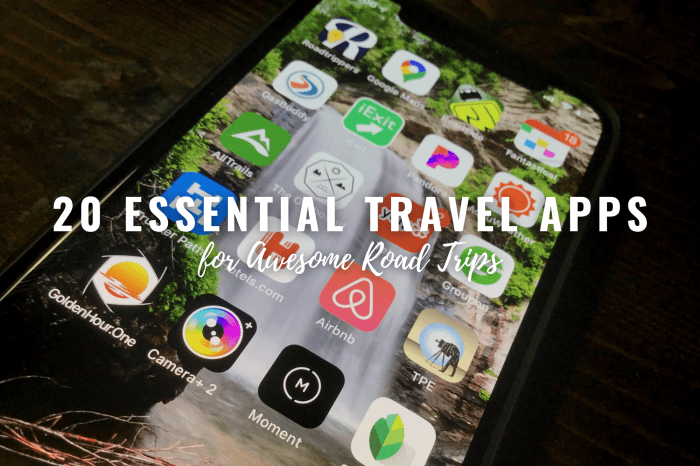
Embarking on a road trip requires meticulous planning, and the right apps can transform a stressful journey into a seamless adventure. From navigating unfamiliar routes to finding the perfect pit stop, technology plays a crucial role in ensuring a smooth and enjoyable experience. This guide explores the best travel applications designed specifically for road trips, focusing on navigation, accommodation, planning, entertainment, and safety features.
We’ll delve into a curated selection of apps, comparing their strengths and weaknesses to help you choose the perfect digital companions for your next road trip. Whether you prioritize offline map capabilities, detailed itinerary planning, or real-time safety alerts, we’ve got you covered. Get ready to discover the apps that will elevate your road trip from good to unforgettable.
Top Navigation Apps for Road Trips
Choosing the right navigation app can significantly impact the enjoyment and efficiency of your road trip. A reliable app with offline capabilities and a user-friendly interface is crucial for navigating unfamiliar territories and avoiding unexpected delays. This section will compare five leading navigation apps, highlighting their strengths and weaknesses for road trip navigation.
Top Navigation Apps: Features, Pros, and Cons
The following table compares five popular navigation apps, considering their key features, advantages, and disadvantages specifically for road trip use. Each app offers a unique set of functionalities, catering to different user preferences and needs.
| App Name | Key Features | Pros | Cons |
|---|---|---|---|
| Google Maps | Turn-by-turn navigation, offline maps (limited), real-time traffic updates, street view, points of interest search, voice navigation, alternative routes | Widely used, accurate navigation, extensive POI database, excellent traffic information, readily available offline maps for certain areas. | Offline maps are limited in scope and detail; data usage can be high when relying on real-time updates. |
| Waze | Community-based navigation, real-time traffic and hazard alerts (accidents, speed traps, road closures), voice navigation, alternative routes, gas price comparisons | Excellent real-time traffic updates, community-driven hazard reporting, often finds faster routes than other apps, gas price information is helpful. | Relies heavily on user-submitted data, which can be inaccurate at times; offline maps are extremely limited. |
| Apple Maps | Turn-by-turn navigation, offline maps (limited), 3D view, augmented reality navigation (for some devices), Siri integration, points of interest search | Tight integration with Apple devices, generally accurate navigation, 3D view can be helpful for orientation, offline maps are improving. | Offline map coverage is still less comprehensive than Google Maps; some features may be less robust than competing apps. |
| HERE WeGo | Turn-by-turn navigation, extensive offline maps, public transportation integration, points of interest search, voice navigation | Excellent offline map capabilities, good for international travel, public transport integration is useful in some areas. | The interface may feel less intuitive than other apps for some users; real-time traffic updates might not be as comprehensive as Waze or Google Maps. |
| Maps.me | Offline maps, turn-by-turn navigation, points of interest search, voice navigation, pedestrian and cycling directions | Excellent offline map coverage, free to use, focuses on detailed offline functionality, good for areas with limited or no internet access. | Lacks real-time traffic updates and other features found in apps like Waze and Google Maps; interface may seem less modern to some. |
Offline Map Capabilities and Data Usage
Offline map functionality varies significantly between these apps. While Google Maps, Apple Maps, and HERE WeGo offer some offline capabilities, Maps.me is specifically designed for offline use. Downloading offline maps consumes significant storage space, but it eliminates data usage charges and ensures navigation even in areas with poor or no cellular service. The reliability of offline maps depends on the quality and recency of the downloaded data; outdated maps may lack current road information or points of interest.
For example, using Maps.me in a remote area with an older map download might lead to incorrect routing or missing points of interest. Conversely, relying on Google Maps’ limited offline mode in the same scenario could result in incomplete navigation or a complete loss of directions.
User Interface and Ease of Use Comparison
A user-friendly interface is crucial for a stress-free road trip. Each app offers a different design philosophy. Google Maps and Apple Maps are known for their intuitive and clean designs, incorporating familiar design language from their respective ecosystems. Waze prioritizes clear, immediate display of real-time traffic information, while HERE WeGo and Maps.me present a more functional, less visually engaging approach.
The ease of use is subjective and depends on individual preferences and prior experience with similar apps. However, all the apps listed offer relatively straightforward navigation and search functions. A visual comparison, while not included here, could show the differences in layout, color schemes, and iconography between these apps, further illustrating their varying approaches to user interface design.
Gas Station & Accommodation Locators
Planning a road trip often involves juggling multiple factors, including fuel stops and overnight stays. Fortunately, several apps seamlessly integrate gas station location, pricing, and reviews with route planning, simplifying the process and enhancing the overall travel experience. These apps not only help locate fuel but also assist in finding and booking various types of accommodations along your chosen route, ensuring a smoother and more comfortable journey.Many apps now go beyond basic navigation, offering comprehensive tools for managing the logistical aspects of a road trip.
This integration of gas station information and accommodation booking simplifies the planning and execution of your journey, allowing you to focus more on enjoying the trip itself. This functionality is particularly useful for long road trips where frequent stops and overnight stays are necessary.
Gas Station Locators with Integrated Route Planning
Several apps effectively combine gas price comparison, station location, and route planning. These tools offer significant advantages over relying on individual apps for each task. Users can view gas prices along their planned route, optimize their fuel stops based on price and distance, and even factor in reviews to avoid stations with negative feedback. Examples include GasBuddy and Waze, which provide real-time fuel price data and allow for route adjustments based on fuel costs.
Accommodation Booking Features within Navigation Apps
A growing number of navigation and travel apps incorporate accommodation booking directly into their platforms. This offers a convenient way to search for and reserve hotels, motels, inns, and other lodging options along your route. The apps often provide a range of filters, allowing users to specify their budget, preferred amenities, and desired type of accommodation. This integration saves time and effort compared to using separate navigation and booking apps.
Comparison of Three Apps: Search Filters and Booking Processes
The following comparison highlights the search filters and booking processes of three popular apps that integrate gas station and accommodation features:
- Google Maps:
- Search filters: Offers extensive filters for accommodation searches including price range, star rating, guest rating, amenities (e.g., pool, free Wi-Fi), and accommodation type (hotel, motel, etc.).
- Booking process: Provides links directly to booking sites (e.g., Booking.com, Expedia) for making reservations. The app itself doesn’t handle the actual booking.
- Roadtrippers:
- Search filters: Focuses on finding interesting roadside attractions and lodging options along a planned route. Filters include price range, type of accommodation, and proximity to points of interest.
- Booking process: Provides links to external booking platforms for reservations. It does not directly process bookings.
- GasBuddy:
- Search filters: Primarily focused on gas station location and pricing. Accommodation search filters are more limited compared to Google Maps or Roadtrippers, often relying on integration with other booking platforms.
- Booking process: While GasBuddy may display nearby hotels, the actual booking process typically redirects users to third-party booking sites.
Road Trip Planning & Itinerary Apps

Planning a road trip can feel overwhelming, juggling routes, accommodation, and countless potential stops. Fortunately, dedicated itinerary apps simplify this process, transforming the planning phase from a stressful chore into an exciting adventure. These apps offer a range of features designed to help you craft a detailed and enjoyable road trip plan, regardless of your destination or travel style.Itinerary apps empower users to create detailed road trip plans by allowing them to input starting and ending points, specify desired travel dates, and add various stops along the way.
Users can input planned activities at each location, such as visiting a national park, exploring a city, or attending a concert. The app then calculates estimated travel times between locations, considering factors like traffic and road conditions, helping users realistically schedule their trip. This functionality provides a comprehensive overview of the entire journey, ensuring that the planned activities are feasible within the allocated timeframe.
Points of Interest and Service Integration
Many road trip planning apps enhance the planning experience by suggesting points of interest based on user preferences and location data. For example, an app might recommend nearby restaurants, museums, or scenic overlooks along a pre-defined route. This feature adds spontaneity and discovery to the journey, preventing the itinerary from becoming overly rigid. Furthermore, seamless integration with other travel services, such as booking platforms for accommodation or car rentals, streamlines the planning process, allowing users to manage all aspects of their trip within a single app.
Imagine finding a charming bed and breakfast along your route, directly booking it through your itinerary app, and having it seamlessly integrated into your overall travel schedule. This level of integration saves time and effort, contributing to a more enjoyable planning experience.
Examples of Road Trip Planning Apps
Choosing the right app depends on individual needs and preferences. Below are five popular apps, each with unique strengths:
- Roadtrippers: Known for its extensive database of quirky roadside attractions and user-generated content, Roadtrippers allows for personalized route creation with unique stops beyond the usual tourist hotspots. It integrates well with mapping services and offers a visually appealing interface.
- Roadly: This app focuses on collaborative planning, making it ideal for group road trips. Users can share itineraries, add suggestions, and manage expenses collectively, fostering a shared sense of ownership over the trip’s planning and execution.
- TripIt: While not exclusively a road trip planner, TripIt excels at centralizing all travel bookings and confirmations into a single itinerary. Its powerful organization features are beneficial for complex road trips involving multiple modes of transport and accommodation changes.
- Google Trips (discontinued, but functionality available within Google Maps): Though no longer a standalone app, Google Trips’ features, such as automated itinerary creation based on your bookings and suggested activities, are largely integrated into Google Maps. This makes it readily accessible to a vast user base already familiar with Google’s mapping services.
- Sygic Travel: Sygic Travel stands out with its offline functionality, a critical feature for areas with unreliable internet connectivity. It offers detailed maps, curated itineraries, and comprehensive travel guides, all accessible even without a data connection. This makes it especially valuable for exploring remote regions.
Entertainment & Audio Apps for Road Trips
Long road trips can quickly become monotonous without engaging entertainment. The right apps can transform a potentially tedious journey into an enjoyable experience for both drivers and passengers. Choosing the right apps depends on individual preferences, but several excellent options cater to diverse tastes and needs, ensuring a seamless and entertaining road trip.
Podcast, Audiobook, and Music Streaming Apps
Access to a vast library of podcasts, audiobooks, and music is crucial for keeping everyone entertained during long drives. The availability of offline playback is a significant factor, especially in areas with unreliable internet connectivity. Many apps offer offline downloads, allowing you to enjoy your favorite content without relying on a constant data connection.
Popular choices include Spotify, offering a massive music catalog and podcast selection with a premium subscription for offline access; Audible, specializing in audiobooks with a subscription model providing access to a vast library; and Pocket Casts, a well-regarded podcast app known for its intuitive interface and offline download capabilities. Choosing between these depends on your primary form of entertainment.
If music is your focus, Spotify is a strong contender. If you prefer audiobooks, Audible excels. For a dedicated podcast experience, Pocket Casts is a highly recommended option. Remember to check each app’s specific features regarding offline downloads and storage limitations.
Interactive Games and Activities for Passengers
Keeping passengers engaged, especially children, is essential for a smooth road trip. Several apps offer interactive games and activities designed for use in vehicles, minimizing distractions for the driver.
Examples include games that test knowledge, encourage storytelling, or provide opportunities for collaborative play. These apps should be carefully selected to ensure they are suitable for all ages and avoid causing motion sickness. Many apps offer a variety of game modes and difficulty levels, ensuring there’s something to keep everyone entertained, regardless of their age or interests. Consider apps with simple controls and engaging visuals that can be easily used in a moving vehicle.
The focus should be on entertainment that is not visually demanding and avoids excessive screen time.
Comparison of Entertainment Apps
The following table compares three popular entertainment apps for road trips, highlighting key features, cost, and user experience.
| App | Features | Cost | User Experience |
|---|---|---|---|
| Spotify | Vast music library, podcasts, offline downloads (premium), collaborative playlists | Free (limited features), Premium subscription (monthly fee) | Intuitive interface, easy navigation, excellent music quality |
| Audible | Extensive audiobook library, offline downloads, adjustable playback speed | Subscription-based (monthly or annual fee) | User-friendly interface, good organization of audiobooks, sleep timer feature |
| Pocket Casts | Focused on podcasts, offline downloads, customizable playback options, syncing across devices | Free (limited features), Premium subscription (one-time purchase) | Clean interface, robust features for podcast management, excellent offline functionality |
Safety & Emergency Apps for Drivers
Road trips offer incredible adventures, but unforeseen circumstances can quickly turn a joyful journey into a stressful situation. Equipping yourself with the right safety and emergency apps can significantly mitigate risks and enhance peace of mind while on the road. These applications offer a range of features designed to provide assistance in various emergency scenarios and improve overall driver safety.These apps enhance safety and preparedness by offering quick access to crucial information and services, potentially saving valuable time and even lives in emergencies.
Features such as roadside assistance calls, GPS location sharing with emergency contacts, and real-time traffic updates contribute to a safer and more informed driving experience. Knowing you have these resources readily available can significantly reduce anxiety associated with long drives, especially in unfamiliar areas.
Roadside Assistance and Emergency Contact Features
Many safety apps integrate roadside assistance services directly into their platforms. This eliminates the need to search for contact information during an emergency. Users can often request towing, tire changes, fuel delivery, or other forms of roadside assistance with a few taps on their smartphone. Furthermore, these apps frequently allow users to pre-program emergency contacts, enabling instant sharing of location data in the event of an accident or breakdown.
This rapid access to assistance is particularly valuable in remote locations or during nighttime driving.
- Example 1: A user experiences a flat tire on a deserted highway. Using a safety app, they can pinpoint their location on a map and request roadside assistance with a single button press. The app will automatically send their location to the assistance provider and emergency contacts, facilitating a quicker response.
- Example 2: In the event of a collision, the app can automatically alert pre-programmed emergency contacts, sending them the driver’s precise location and details of the incident. This immediate notification can be life-saving in situations where the driver is unable to make the call themselves.
Real-Time Traffic and Hazard Alerts
Real-time traffic data is a critical safety feature in many road trip apps. These apps often integrate with live traffic feeds to provide up-to-the-minute information on accidents, road closures, construction, and other potential hazards. This allows drivers to proactively adjust their routes, avoiding delays and potentially dangerous situations. The apps might also display alternative routes, helping drivers navigate around traffic congestion or incidents.
- Example: A driver is en route to their destination when the app alerts them to a major accident causing a significant traffic jam ahead. The app suggests an alternative route, allowing the driver to avoid the congestion and reach their destination safely and efficiently.
Using Key Features: A Step-by-Step Guide (Example App 1: “RoadSafe”)
RoadSafe is a hypothetical app demonstrating these features.
- Download and Installation: Download the RoadSafe app from your app store (Google Play or Apple App Store) and install it on your smartphone.
- Account Creation: Create an account by providing your name, phone number, and email address. This will allow the app to store your preferences and emergency contact information.
- Adding Emergency Contacts: In the app settings, add your emergency contacts by entering their names and phone numbers. You can also choose to share your real-time location with these contacts while driving.
- Requesting Roadside Assistance: If you need roadside assistance, tap the “Roadside Assistance” button. The app will automatically share your location and details with the service provider. You can choose the type of assistance required (e.g., towing, flat tire change).
- Viewing Real-Time Traffic: The app’s map will display real-time traffic conditions, highlighting areas with congestion or incidents. You can use this information to plan your route and avoid delays or hazards.
Using Key Features: A Step-by-Step Guide (Example App 2: “DriveSafe”)
DriveSafe is another hypothetical app.
- Emergency SOS Feature: DriveSafe features a prominent “SOS” button. Pressing this button will immediately send an alert to your emergency contacts with your location and a pre-written message indicating an emergency. You can customize this message.
- Voice Commands: DriveSafe allows hands-free operation via voice commands. You can use voice commands to make calls, send messages, or navigate without taking your hands off the wheel.
- Vehicle Diagnostics: This app can integrate with your vehicle’s onboard diagnostics system (OBD-II) to monitor your car’s health and alert you to potential problems before they become serious.
- Trip Planning and Sharing: Before your road trip, you can plan your route and share your itinerary with your contacts, so they know your expected arrival times and route. This helps them track your progress and raise concerns if you deviate significantly from your planned route or fall behind schedule.
Exploring Related Travel Aspects
Planning a successful road trip involves more than just navigation; it requires considering various travel aspects to maximize enjoyment and minimize stress. This section delves into essential elements beyond route planning, encompassing deals, destinations, guide creation, insurance, resource utilization, and packing essentials.
Types of Travel Deals and Their Benefits
Travel deals can significantly reduce trip costs, making adventures more accessible. These deals often come in the form of package holidays combining flights, accommodation, and sometimes activities. Other deals might include discounts on accommodation during off-season periods, early bird discounts for booking well in advance, or loyalty programs offering points redeemable for future travel. The benefits are clear: cost savings, often bundled convenience, and sometimes access to exclusive experiences or amenities not available otherwise.
For example, a package deal to a national park might include park entry fees, guided tours, and accommodation at a reduced price compared to booking each element separately.
Examples of Popular Travel Destinations
Road trip destinations are incredibly diverse, catering to various preferences. Coastal regions, like the California coastline or the Amalfi Coast, offer stunning beaches and seaside towns. Mountainous areas, such as the Rocky Mountains or the Swiss Alps, provide opportunities for hiking, skiing, and breathtaking scenery. Major cities, like New York City or London, offer vibrant cultural experiences, historical sites, and world-class dining.
Choosing a destination depends on personal preferences and the desired travel experience.
Creating a Comprehensive Travel Guide for a Specific Location
A well-structured travel guide enhances the road trip experience. It should begin with essential information: location details, recommended travel times (considering weather), and transportation options. Next, it should Artikel accommodation choices, ranging from budget-friendly options like hostels to luxurious hotels. The guide should then detail key attractions, providing concise descriptions, opening hours, and admission fees. Finally, it should include information on local cuisine, recommended restaurants, and transportation within the destination.
A detailed map of the area, including points of interest and parking options, is also crucial. For instance, a travel guide for Yellowstone National Park would detail specific geysers, hiking trails, wildlife viewing areas, and lodging options within and around the park.
Travel Insurance and Its Importance for Road Trips
Travel insurance provides financial protection against unforeseen events during a road trip. It can cover medical emergencies, trip cancellations, lost luggage, and vehicle damage. The importance of travel insurance is paramount, as unexpected incidents can lead to significant financial burdens. For example, a sudden illness requiring hospitalization or an accident resulting in vehicle repair costs can quickly deplete travel funds.
Choosing a policy with comprehensive coverage tailored to the specific trip is essential.
Benefits of Using Travel Apps, Blogs, and Guides During Trip Planning
Travel apps, blogs, and guides offer invaluable assistance during trip planning. Apps provide real-time information on traffic, accommodation availability, and points of interest. Blogs offer personal experiences and recommendations from other travelers, providing insights not always found in official guides. Printed or digital guides offer structured information, covering practical aspects and local attractions. Using a combination of these resources allows for comprehensive planning and informed decision-making, enhancing the overall travel experience.
Ten Travel Essentials and Five Travel Gadgets
Packing appropriately is crucial for a smooth road trip. Ten essential items include: a well-stocked first-aid kit, comfortable clothing suitable for varying weather conditions, a reliable map or GPS device, a fully charged phone with a portable charger, sufficient cash, important documents (driver’s license, insurance), sunscreen, insect repellent, a reusable water bottle, and snacks. Five useful travel gadgets include: a portable GPS device, a dashcam for recording the journey and providing evidence in case of accidents, a portable power bank for charging electronic devices, a hands-free Bluetooth device for safe phone calls, and a cooler bag to keep food and drinks fresh.
These items enhance safety, comfort, and convenience throughout the trip.
Planning a successful road trip involves more than just charting a course; it’s about leveraging technology to enhance every aspect of the journey. By utilizing the best travel apps for navigation, accommodation, entertainment, and safety, you can significantly reduce stress, increase efficiency, and maximize enjoyment. Remember to consider your specific needs and preferences when selecting your apps, ensuring a personalized and unforgettable road trip experience.
Happy travels!
FAQ
What if I lose cell service?
Many navigation apps allow you to download maps for offline use. Check each app’s features to see if offline maps are available and how much storage space they require.
How can I share my itinerary with others?
Most itinerary apps offer features to share your planned route and stops with friends or family via email, text, or social media.
Are there apps that help find EV charging stations?
Yes, several apps specialize in locating EV charging stations along your route, providing information on availability, charging speeds, and payment methods.
What about apps for finding roadside assistance?
Several apps connect you directly with roadside assistance providers, offering features like emergency contact information and real-time location sharing.


